

How to Choose a VR Headset for a Beginner: Where to Start and What to Pay Attention To
February 24, 2026
First acquaintance with VR usually starts with confusion. There are many models, the names are similar, prices differ several times over. Some headsets work standalone, others require a powerful computer, and others are not about games at all, but about augmented reality.
For a beginner, what matters most is not "the very best", but the most understandable ones. Something you can turn on, put on, and figure out without complicated setup. And only then - decide whether you want to go further.
How to choose VR headsets for a beginner
When a person chooses a VR headset for the first time, they most often look at the price and the brand name. But the difference between models is not only in that. It is important to understand how you plan to use the device: for games, movies, work, or simply out of interest in the technology.
Standalone or PC connection: If you do not want to deal with cables and system requirements, it is better to choose standalone models. They work without a computer and start immediately after basic setup.
Device performance: The higher the performance, the more stable the picture and the fewer delays. For the first experience, a mid-range level is sufficient without overpaying for maximum specifications.
Resolution and image quality: Higher clarity makes immersion more comfortable and reduces eye fatigue. For a beginner, it is important to avoid noticeable graininess, but chasing top numbers is not necessary.
Weight and wearing comfort: Headsets can stay on the head for 30-60 minutes or longer. A model that is too heavy quickly causes discomfort, especially during active games.
Storage capacity: If you plan to play games and install applications, it is better to choose versions with extra storage. For movies and simple scenarios, the base capacity will be enough.
Ecosystem and content access: Different brands have their own app stores and game support. Before buying, it is worth checking whether the needed services and projects are available.
Device format: Full-fledged VR headsets create the effect of complete immersion in a virtual world. Smart glasses are more suitable for shooting, calls, and augmented reality.
For a beginner, it is usually easier to start with standalone models in the mid-range segment. They do not require additional equipment and allow you to calmly understand whether the virtual reality format suits you personally.
Meta Quest - the most understandable entry into VR
The Meta Quest lineup most often becomes the first step into virtual reality. These are standalone devices that do not require connection to a computer or external sensors. Basic setup is enough - and you can launch games, watch videos, or try fitness applications.
This format is convenient precisely for starting out. Minimum cables, clear interface, access to its own app store, and stable performance without additional equipment. The lineup includes several versions that differ in storage capacity and performance - these are exactly the ones worth considering as the first option for getting acquainted with VR.
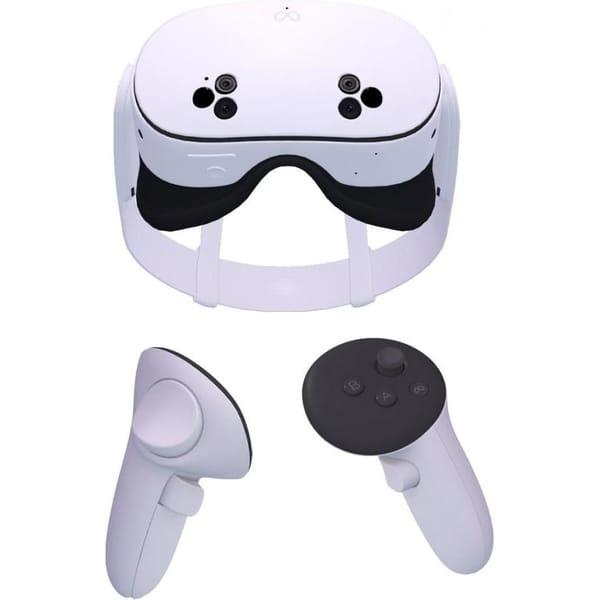
Meta Quest 3S 128GB virtual reality headset
Meta Quest 3S 128GB is considered a basic model for getting acquainted with virtual reality. They work standalone and can connect to a PC if needed, which allows gradual transition to more demanding content. For a beginner, this format is convenient because the device can be used right after setup without additional equipment.
Resolution of 3664x1920 and 120 Hz refresh rate provide a clear and smooth picture. The Snapdragon XR2 Gen 2 processor and 8 GB of RAM ensure stable application performance. 128 GB of built-in storage is designed for installing main games and services without excessive reserve.
Key features:
Standalone format
PC connection support
120 Hz refresh rate
Built-in motion sensors
2 Touch Plus controllers included
Specifications:
Compatibility: PC
Connection: Wireless
Refresh rate: 120 Hz
Built-in storage: 128 GB
RAM: 8 GB
Processor: Snapdragon XR2 Gen 2
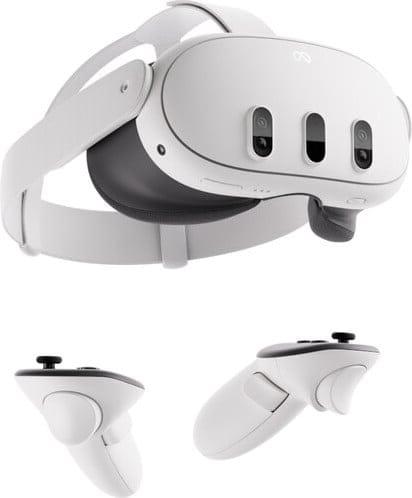
Meta Quest 3 512GB virtual reality headset
Meta Quest 3 512GB belongs to a more advanced version in the lineup. They also work standalone but are aimed at users who plan active VR usage - games, learning, video, and mixed reality. For a beginner, this model is suitable if extra storage and a wider field of view are needed right away.
The device is equipped with a Snapdragon XR2 Gen 2 processor and supports a 120 Hz refresh rate. 512 GB of built-in storage allows storing a significant amount of content without constant space clearing. 110-degree field of view makes immersion more natural, especially in dynamic scenarios.
Key features:
Standalone operation
512 GB built-in storage
110-degree field of view
Touch Plus controllers
Mixed reality support
Specifications:
Compatibility: PC
Connection: Wireless
Refresh rate: 120 Hz
Built-in storage: 512 GB
Processor: Snapdragon XR2 Gen 2
Pico - an alternative to Meta
The Pico lineup is usually considered by those looking for standalone VR headsets without being tied to a console or constant PC connection. The format is similar to Meta - the device starts on its own, supports wireless operation, and is suitable for games, video, and interactive applications.
For a beginner, Pico is convenient because it provides an understandable start without complicated setup. The interface is intuitive, control is implemented via controllers, and main functions are available right after basic configuration. The lineup includes several models that differ in storage capacity and performance - these are exactly the ones worth considering for the first choice.
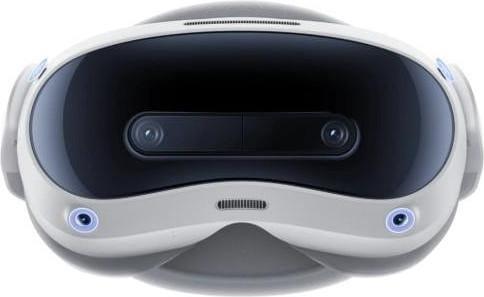
Pico 4 Ultra 12/256GB virtual reality headset
Pico 4 Ultra 12/256GB is used as a standalone VR headset with the option to connect to a PC. It suits those who want stable performance without external sensors and complicated installation. For a beginner, this is an option with a reserve of power and storage if active use of applications and games is planned.
Resolution of 2160x2160 per eye and 90 Hz refresh rate provide clear and smooth visuals. The Snapdragon XR2 Gen 2 processor and 12 GB of RAM support demanding software. 105-degree field of view creates a wide viewing area, while the inside-out tracking system follows movements without external base stations.
Key features:
Standalone operation
12 GB RAM
2160x2160 resolution per eye
105-degree field of view
Inside-out tracking
Wi-Fi 7 and Bluetooth 5.3
Specifications:
Compatibility: PC
Connection: Wireless
Refresh rate: 90 Hz
Built-in storage: 256 GB
RAM: 12 GB
Processor: Snapdragon XR2 Gen 2
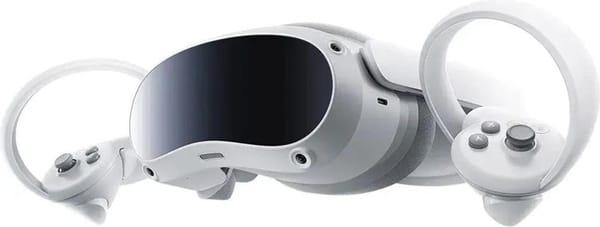
Pico 4 8/256GB virtual reality headset
Pico 4 8/256GB is considered a more affordable model in the lineup. They work standalone and support PC connection. This format suits the first VR experience when clear controls and stable visuals without complicated settings are important.
2160x2160 resolution and 90 Hz refresh rate provide comfortable visuals for games and video watching. The Snapdragon XR2 processor and 8 GB of RAM are designed for everyday use. 256 GB of built-in storage allows storing applications and multimedia without constant space clearing.
Key features:
Standalone format
8 GB RAM
2160x2160 resolution per eye
105-degree field of view
Wi-Fi and Bluetooth support
Built-in microphone
Specifications:
Compatibility: PC
Connection: Wireless
Refresh rate: 90 Hz
Built-in storage: 256 GB
RAM: 8 GB
Processor: Snapdragon XR2
Ray-Ban Meta - not classic VR
Ray-Ban Meta belongs not to full-fledged VR headsets, but to the smart glasses format. They do not create a virtual world around the user, but enhance everyday use - photo and video shooting, audio playback, voice control.
For a beginner, it is important to understand the difference. If the goal is games and full immersion, it is better to look toward VR headsets. Ray-Ban Meta suits those interested in technology but wanting to start with a more familiar format without isolation from the surrounding space.
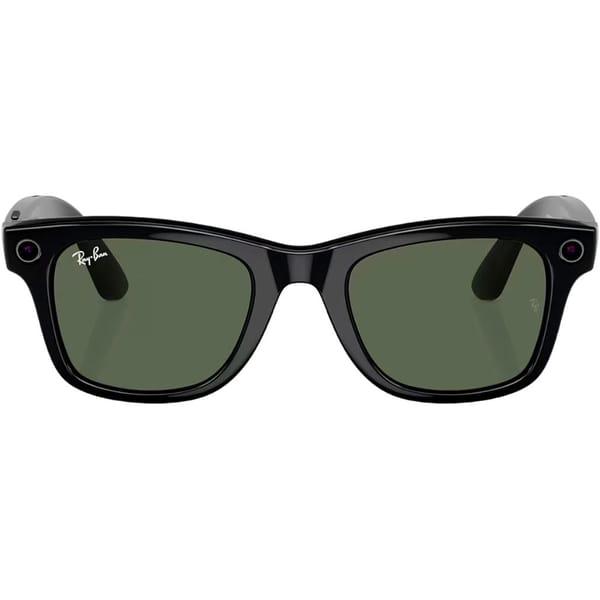
Ray-Ban Meta Wayfarer Shiny Black Frame Green Lenses smart glasses
Ray-Ban Meta Wayfarer is considered not as a VR headset, but as smart glasses with shooting and audio functions. They do not create a virtual environment around the user but enhance everyday tasks - photos, videos, calls, music listening. For a beginner, this is an option if there is interest in the technology but full VR immersion is not yet required.
Speakers and microphone are used for communication and voice control. 32 GB of built-in storage is designed for storing media files. The glasses sync with Android and iOS smartphones via Bluetooth and the Meta View app.
Key features:
32 GB storage
Android and iOS support
Voice control
Built-in speakers and microphone
Specifications:
Built-in storage: 32 GB
Bluetooth version: 5.3
Compatible OS: Android 10+, iOS 14.4+
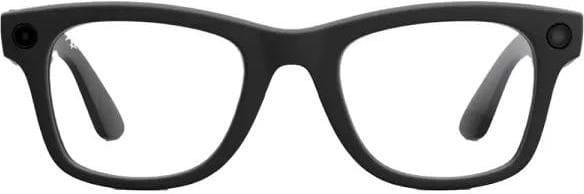
Ray-Ban Meta Wayfarer Gen 2 Matte Black / Clear Lenses smart glasses
Ray-Ban Meta Wayfarer Gen 2 belongs to the same smart glasses format but with an updated series. They are used for shooting, audio, and voice interaction without isolating the user from the surrounding space. This format suits those who choose not a VR headset but a more familiar accessory with technological features.
12 MP camera supports photos and videos, built-in speakers and five microphones are used for communication and control. 32 GB of storage is designed for keeping files without constant transfer to a smartphone. Connection is made via Bluetooth 5.3, compatible with Android and iOS.
Key features:
12 MP camera
32 GB storage
Bluetooth 5.3
Touch and voice control
Compatibility with Android and iOS
Specifications:
Built-in storage: 32 GB
Bluetooth version: 5.3
Camera resolution: 12 MP
Compatible OS: Android 10+, iOS 14.4+
Field of view: 100°
Oakley Meta - more sporty format
Oakley Meta belongs to the smart glasses format and is closer in concept to Ray-Ban Meta, but executed in a more sporty style. They do not create virtual reality and are not intended for games, but are used for shooting, audio playback, and voice control during daily activities.
This option is more often chosen by those who want to maintain a familiar rhythm - walks, trips, workouts - while having a camera and smartphone connection at hand. This is not an alternative to VR headsets, but a separate category of devices for augmented functionality without isolation from the surrounding world.
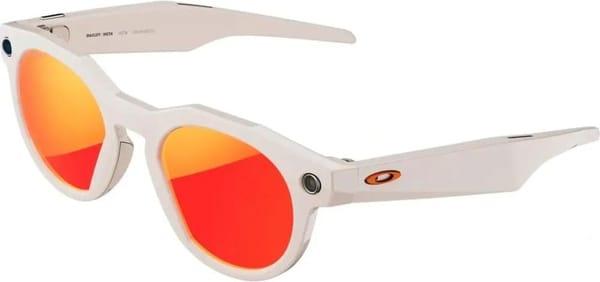
Oakley Meta HSTN Warm Grey / Ruby smart glasses
Oakley Meta HSTN belongs to the smart glasses format and is not a VR headset. They are used for photo and video shooting, audio playback, and voice control. This format is chosen by those who want to maintain contact with the environment while having a built-in camera and smartphone connection.
Built-in 12 MP camera supports photos and videos, speakers and microphones are used for communication and commands. 32 GB of storage allows keeping media files without constant transfer to the phone. Connection is made via Bluetooth 5.3, compatible with Android and iOS devices.
Key features:
12 MP camera
32 GB built-in storage
Bluetooth 5.3
Voice and touch control
Built-in speakers and microphones
Specifications:
Built-in storage: 32 GB
Bluetooth version: 5.3
Camera resolution: 12 MP
Compatible OS: Android 10+, iOS 14.4+
Field of view: 100°
Valve - VR through PC
Valve devices belong to the VR headset format that works in conjunction with a computer. These are not standalone headsets - launching games and applications requires connection to a PC with appropriate specifications. This option is more often considered by users who already have a gaming computer and plan to use it for virtual reality.
The PC-based format assumes more precise motion tracking and operation with the SteamVR platform. However, setup takes more time compared to standalone models. For a beginner, it is important to consider system requirements and the availability of free space for correct tracking operation.
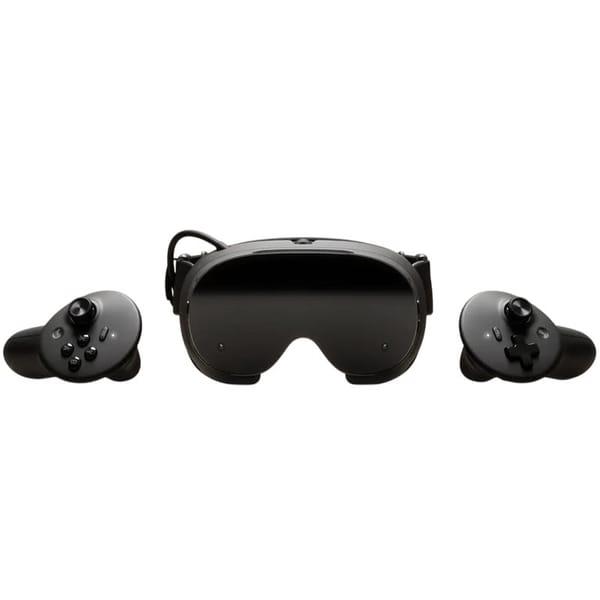
Valve Steam Frame virtual reality headset
Valve Steam Frame is used in conjunction with a PC. This is not a standalone headset - a computer with appropriate specifications is required for operation. This format is chosen by those who already play on PC and want to expand capabilities through the SteamVR platform. For a beginner, it is important to understand that the device will not work without a computer.
The model supports refresh rates up to 144 Hz, which affects image smoothness. Connection is wireless. The configuration includes 16 GB of RAM and a Snapdragon 8 Gen 3 processor. This set is designed for stable VR application performance when connected to the system.
Key features:
Operation via PC
Refresh rate up to 144 Hz
16 GB RAM
Snapdragon 8 Gen 3 processor
Wireless connection
Specifications:
Compatibility: PC
Connection: Wireless
Refresh rate: 144 Hz
Built-in storage: present
RAM: 16 GB
Processor: Qualcomm Snapdragon 8 Gen 3
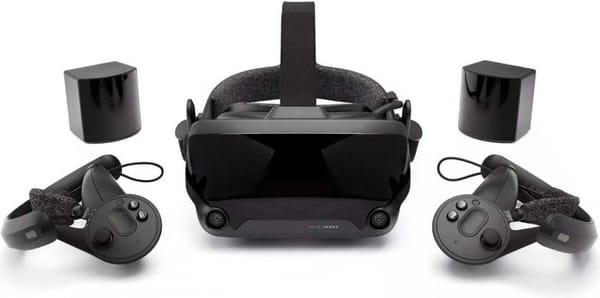
Valve Index VR Kit virtual reality headset
Valve Index VR Kit belongs to PC kits and includes a headset, base stations, and controllers. This solution requires connection via DisplayPort and USB, as well as dedicated space for correct tracking operation. For a beginner, this format is suitable if a gaming computer and understanding of system requirements are already available.
2880x1600 resolution and refresh rate up to 120 Hz provide clear visuals. 130-degree field of view creates a wide viewing area. The kit includes controllers and base stations, which assumes more precise setup compared to standalone models.
Key features:
Connection via PC
2880x1600 resolution
Refresh rate up to 120 Hz
130-degree field of view
Base stations included
Specifications:
Compatibility: PC
Connection: Wireless
Refresh rate: 120 Hz
XREAL - augmented reality format
XREAL works in augmented reality format. They do not create a fully virtual space but display an image over the real world. The user continues to see the surrounding environment while receiving an additional screen in front of their eyes - for video, games, or working with applications.
This option is chosen by those who do not want isolation from the surrounding space. For a beginner, this is a gentler introduction to the technology. Devices connect to a smartphone, laptop, or other compatible signal sources and are used as a personal portable display. This is not classic VR, but a different usage scenario - closer to mobility and everyday tasks.
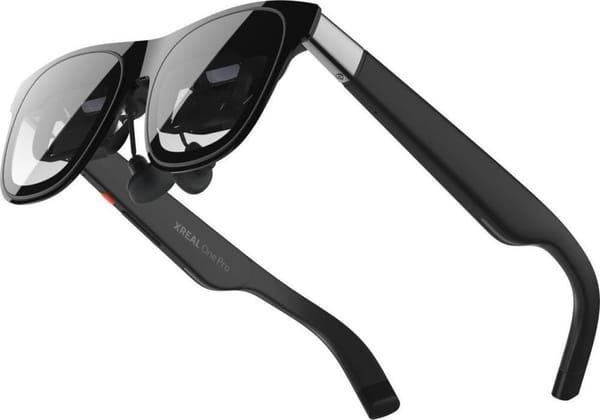
XREAL One Pro augmented reality glasses
XREAL One Pro works as a personal screen in front of the eyes. They do not isolate the user from the surrounding space but display an image over the real world. This option is more often chosen by those who value the balance between digital content and regular surroundings - for video, games, or work tasks.
For a beginner, this is a calmer way to get acquainted with AR. They connect via USB-C to compatible devices and are used as an external display. The lightweight body and compact format allow wearing them outside the home without feeling like a bulky headset.
Key features:
Augmented reality format
Micro-OLED displays
120 Hz refresh rate
USB-C connection
Lightweight body
Specifications:
Field of view: 57°
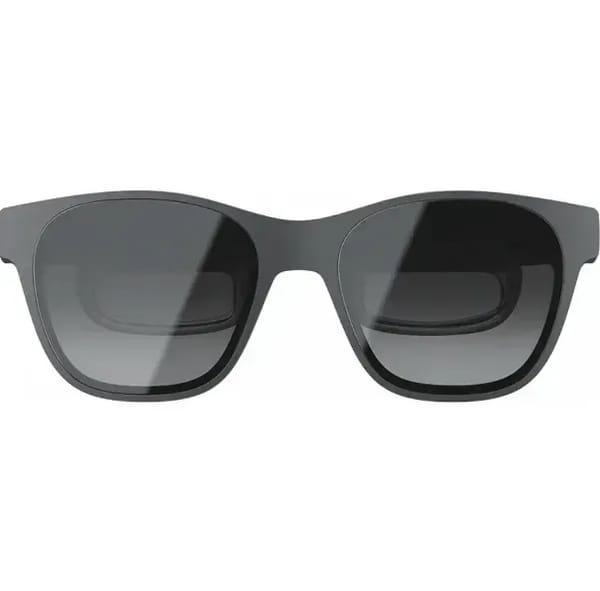
XREAL Air 2 (Grey) augmented reality glasses
XREAL Air 2 is made in the format of a connectable AR display. They create the effect of a large virtual screen while the user continues to see the surrounding environment. This format suits those who do not plan to switch to full VR but want to expand the capabilities of a smartphone or laptop.
Unlike standalone headsets, they work via wired USB-C connection with DisplayPort support. The glasses act as an external screen, while main processing is performed by the connected device. Compact weight and adjustable elements make them comfortable for long-term use.
Key features:
Micro-OLED displays
120 Hz refresh rate
Wired USB-C connection
DisplayPort support
Built-in speakers
Specifications:
Bluetooth: No
Field of view: 46°
So what should a beginner choose
If you need the first experience without complicated setup and cables, people usually look toward standalone models - they start on their own and do not require separate equipment. This is simpler for starting out and does not oblige you to figure out connections and compatibility.
If you already have a powerful PC and want maximum depth in games, then it makes more sense to consider the PC-based VR format. It requires more preparation but opens access to another level of graphics and tracking.
For those who do not want isolation from the surrounding space, augmented reality models or smart glasses will suit. They do not replace VR but offer a different scenario - a screen in front of the eyes, shooting, sound, smartphone integration. In the end, the choice depends not so much on the brand as on exactly how the device is planned to be used.
Conclusion
Choosing VR headsets for the first acquaintance does not always come down to specifications. It is much more important to understand which format is closer - a standalone headset without cables, connection to a PC with more serious requirements, or augmented reality without full isolation from the surrounding world. Each scenario has its own usage rhythm and its own setup nuances.
Beginners are more often suited by a simpler start without complicated configuration. Over time, it becomes clearer whether more power, a different field of view, or additional features are needed. Therefore, it is more reasonable to focus not on maximum parameters, but on your own scenario - where and how the device will be used most often.
Frequently asked questions
1. Do I need to buy a powerful computer for VR?
Not necessarily. If standalone models like Meta Quest or Pico are chosen, they work without a PC. A computer is required for Valve-format headsets, where all content is launched through the system.
2. How much storage is enough for the first device?
For starting out, 128-256 GB is usually sufficient. This is enough for several games and applications. If active content installation is planned, it is better to take a version with extra storage to avoid cleaning space too often.
3. What is the difference between VR and AR?
VR fully immerses you in a virtual environment. AR overlays an image on top of the real world. For example, XREAL models work as a portable screen and do not create an isolated space.
4. Are VR headsets comfortable for long-term use?
A lot depends on weight and fit. Beginners should pay attention to strap adjustment, weight distribution, and the presence of soft padding. First sessions are usually made short - 20-30 minutes - to get used to it.
5. Are there age restrictions?
Most manufacturers indicate a minimum age of 12-13 years. This is due to the strain on vision and perception features. Before purchasing, it is worth checking the recommendations for the specific model.
6. What is the easiest choice for a beginner?
Most often people start with mid-range standalone models. They do not require complicated installation and give a clear first impression of the technology. And only later does it become clear whether a PC-based format or augmented reality is needed.