


Home 3D Printer in 2026 – Is It Worth Buying?
February 28, 2026
Just 5-6 years ago, a home 3D printer was perceived as an expensive toy for enthusiasts that constantly required "tweaking". In 2026 the situation has changed dramatically: modern models print fast, quietly and with high quality right out of the box.
But do you really need one? Won't it turn out that in a month the printer will be standing in the corner, and the filament will be spoiling in the closet? In this article we will analyze the real pros and cons of buying a home 3D printer in 2026, show for which tasks it is truly useful, and when it is better to save money and use 3D printing services instead.
In 2026, 3D printers have become part of many households, just as computers or smartphones once did. They allow you to create plastic objects right on your desk - from toys to spare parts. But will such a purchase live up to expectations? In this article we will look at how these devices work, their strengths and weaknesses, popular models such as Bambu Lab, how much maintenance costs, and when it really makes sense to spend the money. The material is based on current reviews and advice from forums to help you make an informed decision.
How a home 3D printer works
Most home 3D printers use FDM technology, where a plastic filament is melted and deposited layer by layer onto a build plate. The process starts with a model in a slicer program such as Bambu Studio or Cura, where the object is sliced into layers. The printer then heats the nozzle to 200-300 degrees, extrudes the material and moves along the X, Y, Z axes. The bed is often heated to prevent the part from detaching. Some models have an enclosed chamber for stable temperature, which is useful for materials like ABS.
In 2026 printers have become much simpler: automatic bed leveling, Wi-Fi for remote control and speeds up to 500 mm/s. For example, Bambu Lab models are ready to print within 15 minutes after unboxing. However, good results still require the right material - PLA for beginners, PETG for strength. If the printer has an AMS, you can print in multiple colors without stopping, but this creates additional waste.
Advantages of owning a 3D printer at home
A home 3D printer gives you the freedom to create things that are not available in stores. You can print spare parts for equipment, such as mounts for gadgets or drone components, saving time on searching. In 2026 this is useful for hobbies - figurines, models or even parts for the Armed Forces of Ukraine, as people mention on DOU forums. Fast printers like the Bambu Lab A1 allow you to get a finished item in one or two hours.
Another advantage is savings on small items. Instead of buying new toys or accessories, you print them yourself for pennies. For families with children, it is a way to develop creativity: kids model simple things in Tinkercad. Plus, printers have become much quieter, with noise levels around 48 dB, and they do not take up much space - compact models like the A1 Mini fit easily on a desk.
Time saving: no need to wait for part delivery.
Creativity: you create unique items.
Learning: you study 3D modeling and engineering.
Eco-friendliness: less plastic from stores if you recycle waste.
Flexibility: you print prototypes for business or hobbies.
Popular home models of 2026
In 2026 the market offers many options, from budget Creality Ender 3 to advanced Bambu Lab machines. Reviews on Reddit and YouTube praise fast and reliable printers. The focus is on FDM models because they are affordable for home use. For example, the Prusa i3 MK3S+ is very stable but more expensive. The Creality K1 Max is fast and has a large build volume of 300x300x300 mm.
Among the leaders are Bambu Lab printers because they work well right out of the box. Models like the A1 Mini are great for beginners, with a build volume of 180x180x180 mm and speeds up to 500 mm/s. The P1S is enclosed and suitable for materials with strong odors.
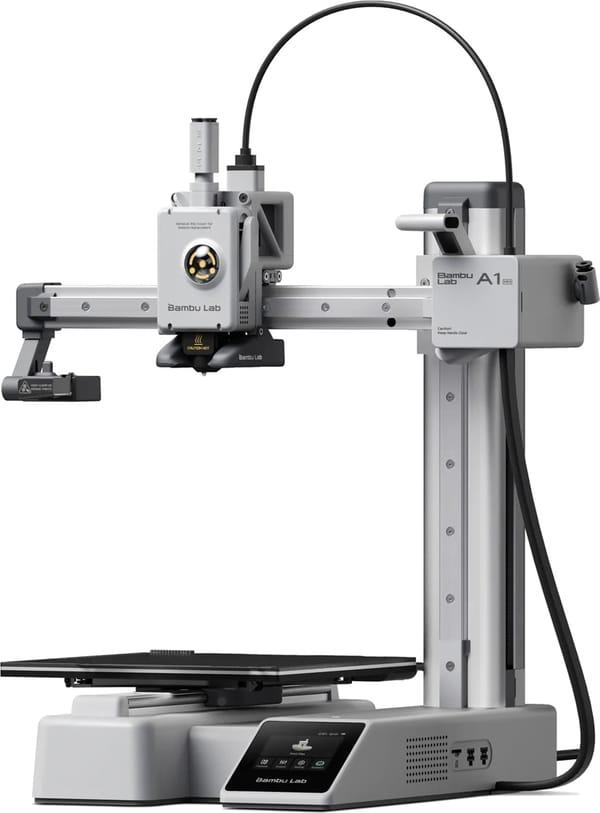
1. Bambu Lab A1 Mini
This is one of the most compact 3D printers in the Bambu Lab A1 Mini lineup, designed for home use or small projects. It uses FDM technology (fused filament fabrication) and comes fully assembled, so after unboxing you only need 15-20 minutes for basic setup. The printer features automatic bed leveling, nozzle pressure sensor and accelerometers for vibration compensation, ensuring stable quality even at high speeds. The frame combines steel and aluminum profiles, while moving parts use full linear rails. The printer is quite quiet - in Silent mode noise does not exceed 48 dB. It supports basic filaments like PLA, PETG, TPU and some others if the temperature allows.
Key points:
Very compact size - easy to place on a desk or shelf without taking much space.
Fast setup and automatic calibration before every print.
Wi-Fi support, mobile app and remote control.
Low noise level compared to many other FDM printers.
Great for beginners due to ease of use.
Specifications:
Printing technology: FDM.
Build volume: 180 × 180 × 180 mm.
Maximum print speed: up to 500 mm/s (lower recommended for quality).
Maximum hotend temperature: 300 °C.
Maximum bed temperature: 80 °C.
Interface: 2.4-inch color touchscreen, Wi-Fi, microSD card.
Nozzle: 0.4 mm (stainless steel), can be swapped for 0.2 / 0.6 / 0.8 mm.
Printer weight: about 5.5 kg.
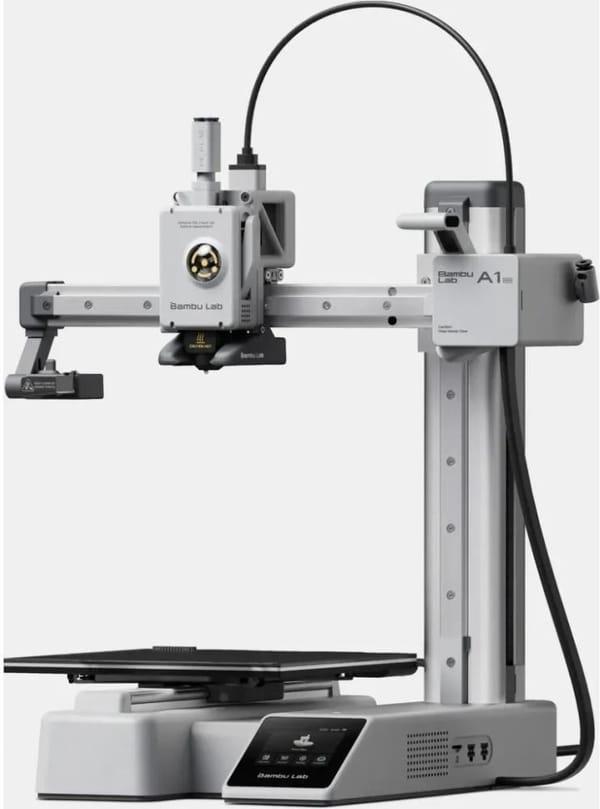
2. Bambu Lab A1 Mini Combo
Bambu Lab A1 Mini Combo is the same base A1 Mini model but with the added AMS lite module for multi-color printing. The AMS lite attaches to the side or top (depending on preference) and allows using up to 4 different filaments at once - either different colors or different materials in one print. The system automatically switches filaments during printing, and waste (purge/waste) is ejected into a dedicated container. The core printer specifications remain unchanged, so speed, precision and noise levels are the same as the standard A1 Mini. The AMS lite makes the printer more convenient for those who want to create multi-color models without manually swapping spools.
Key points:
Allows printing up to 4 colors or materials in a single job.
AMS lite is a lightweight and compact module that does not require complicated installation.
Retains all advantages of the base model - compactness and simplicity.
Great for creative projects, toys, and colored figurines.
Waste from color changes is collected separately.
Specifications:
Printing technology: FDM.
Build volume: 180 × 180 × 180 mm.
Maximum print speed: up to 500 mm/s.
Maximum hotend temperature: 300 °C.
Maximum bed temperature: 80 °C.
Interface: 2.4-inch touchscreen, Wi-Fi, microSD.
Additional: AMS lite with 4 spools (1.75 mm filament).
Weight of system with AMS lite: slightly over 8 kg.
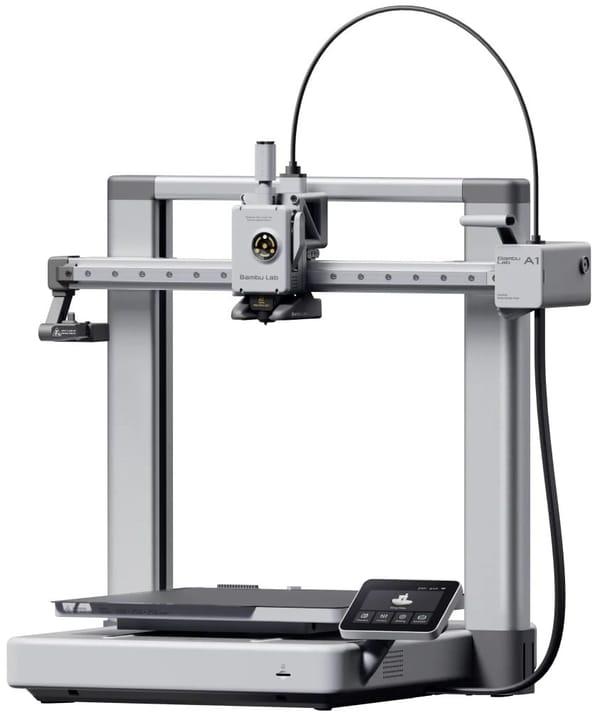
3. Bambu Lab A1
Bambu Lab A1 is the larger model in the A1 series - bigger in size and with a larger build volume. It allows printing parts that do not fit on the A1 Mini, such as large enclosures, models or functional items. The construction is sturdier than the Mini because it uses a classic design with two vertical uprights instead of a cantilevered one. The bed heats up faster as it is powered by 220 V, and the maximum bed temperature is higher. Other features are similar: automatic calibration, high-speed support, Wi-Fi, quiet operation. The AMS lite is also compatible and sold separately or in a bundle.
Key points:
Significantly larger build volume for medium and large prints.
Sturdier construction and faster bed heating.
Same speeds and precision as the A1 Mini.
Suitable when 180 mm on any axis is already too small.
AMS lite can be added for multi-color printing.
Specifications:
Printing technology: FDM.
Build volume: 256 × 256 × 256 mm.
Maximum print speed: up to 500 mm/s.
Maximum hotend temperature: 300 °C.
Maximum bed temperature: 100 °C.
Interface: larger color touchscreen than Mini, Wi-Fi, microSD.
Nozzle: 0.4 mm (replaceable).
Printer weight: about 8-9 kg (depending on configuration).
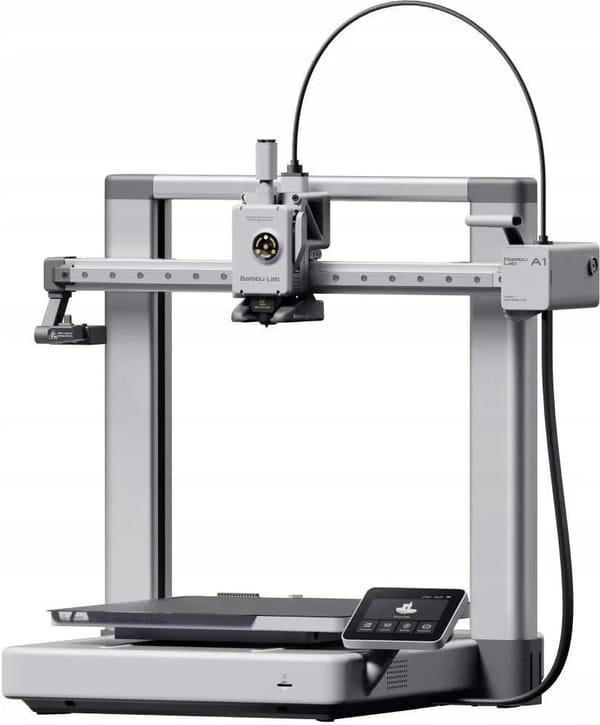
4. Bambu Lab A1 Combo
Bambu Lab A1 Combo is the A1 version with the added AMS lite module for multi-color printing. The base printer is the same as the regular A1 - open frame, bed-slinger with CoreXY kinematics, fast heating and automatic calibration. The AMS lite attaches to the side or top, connects via Bambu-Bus and allows using up to four spools at once. During printing the system automatically switches filaments, and purge waste goes into a dedicated container. This is convenient for models with multiple colors or when combining different materials, but it adds a bit more space and weight. The printer supports the same filaments as the base model, including PLA, PETG, TPU.
Key points:
Multi-color printing with up to 4 filaments without manual swapping.
Retains the speed and precision of the base A1.
AMS lite is compact and easy to connect.
Suitable for projects with colors or different materials.
Automatic calibration and vibration compensation work the same as in the regular version.
Specifications:
Printing technology: FDM.
Build volume: 256 x 256 x 256 mm.
Maximum print speed: up to 500 mm/s.
Maximum hotend temperature: 300 °C.
Maximum bed temperature: 100 °C.
Interface: 3.5-inch IPS touchscreen, Wi-Fi, microSD.
Additional: AMS lite with 4 spools.
System weight: about 11-13 kg depending on configuration.
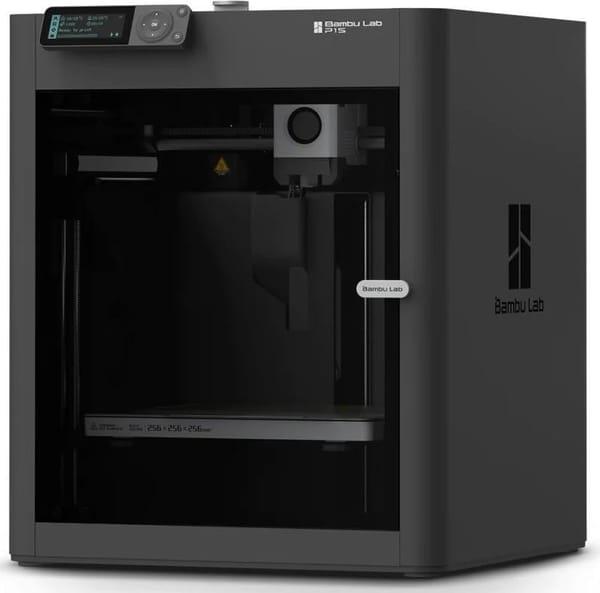
5. Bambu Lab P1S
Bambu Lab P1S is an enclosed 3D printer with a plastic and glass enclosure that helps maintain more stable temperatures during printing. It uses high-rigidity CoreXY kinematics, features active vibration compensation and pressure advance for better quality at high speeds. Compared to open-frame models, it includes a built-in carbon filter to reduce odors from ABS and other materials. Setup is quick, it has a monitoring camera, timelapse function and Wi-Fi support. Suitable for materials that require stable temperatures, such as ABS, ASA or PET. Noise is moderate, but the enclosure makes it slightly quieter than open equivalents.
Key points:
Fully enclosed chamber for stable printing temperature.
Built-in carbon filter and auxiliary cooling.
Supports high speeds with good quality.
Compatible with AMS for multi-color printing.
Camera and remote control via mobile app.
Specifications:
Printing technology: FDM.
Build volume: 256 x 256 x 256 mm.
Maximum print speed: up to 500 mm/s.
Maximum hotend temperature: 300 °C.
Maximum bed temperature: 100 °C.
Interface: USB port, Wi-Fi, Bluetooth, microSD, Bambu-Bus.
Enclosure: closed with plastic and glass.
Printer weight: about 12-13 kg.
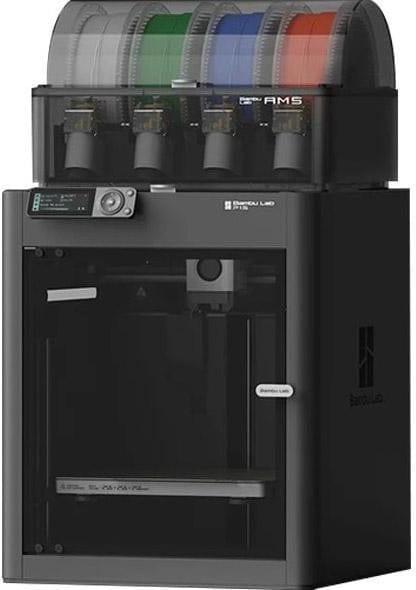
6. Bambu Lab P1S Combo + AMS
Bambu Lab P1S Combo + AMS is the P1S bundled with the AMS (Automatic Material System). The AMS adds the ability to print with up to 4 colors or materials simultaneously, and with additional modules - up to 16. The system automatically switches filaments, detects material type and controls humidity. The printer's enclosed chamber pairs well with the AMS for printing moisture-sensitive materials. Waste from filament changes is collected separately, and setup is simple - just connect and everything works through Bambu Studio. This is the option for those who want multi-color models or material combinations without extra manual work.
Key points:
Up to 4 colors or materials in one print (more with extra AMS units).
Automatic filament switching and humidity control in the AMS.
Enclosed printer body helps maintain temperature.
Ideal for complex multi-color projects.
Fully compatible with all base P1S features.
Specifications:
Printing technology: FDM.
Build volume: 256 x 256 x 256 mm.
Maximum print speed: up to 500 mm/s.
Maximum hotend temperature: 300 °C.
Maximum bed temperature: 100 °C.
Interface: USB, Wi-Fi, Bluetooth, microSD, Bambu-Bus.
Additional: AMS with 4 spools (expandable).
System weight: about 15-17 kg with AMS.
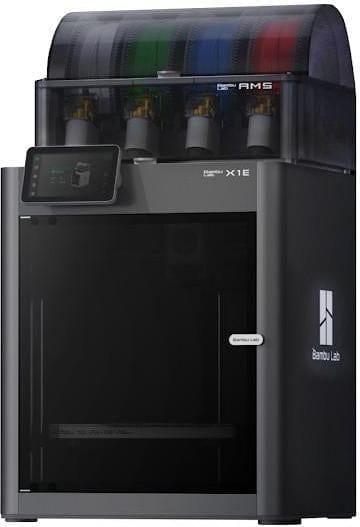
7. Bambu Lab X1E Combo
Bambu Lab X1E Combo is a more professional version from the X1 series, which comes with AMS for multi-color printing. The printer is fully enclosed, features active chamber heating up to 60 °C, which helps with materials prone to warping, such as ABS or PC. The body is made of aluminum and glass, with a steel frame inside for rigidity. It supports high nozzle temperatures up to 320 °C and speeds up to 500 mm/s with acceleration of 20,000 mm/s². It has an improved air filtration system with HEPA and activated carbon to reduce odors and particles. Connectivity via Ethernet with WPA2-Enterprise support, Wi-Fi, or Micro SD - this makes it convenient in environments with strict network security requirements. Automatic calibration, monitoring camera, AI print failure detection - all included.
The model weighs about 16 kg without AMS, and the dimensions are compact for such functionality - 389 × 389 × 457 mm. It is suitable for those who print engineering plastics or need stable chamber temperature, not just PLA.
Key points:
Enclosed body with active chamber heating up to 60 °C.
Improved air filtration (HEPA + carbon).
Ethernet support with WPA2-Enterprise for secure connection.
AMS included for multi-color printing.
Automatic calibration and AI monitoring.
High nozzle temperature for engineering materials.
Specifications:
Printing technology: FDM.
Build volume: 256 × 256 × 256 mm.
Maximum speed: up to 500 mm/s.
Maximum nozzle temperature: 320 °C.
Maximum bed temperature: 110-120 °C (depending on voltage).
Interface: Ethernet, Wi-Fi, Micro SD, Bambu-Bus.
Weight: about 16 kg without AMS.
Camera: 1920 × 1080 for monitoring.
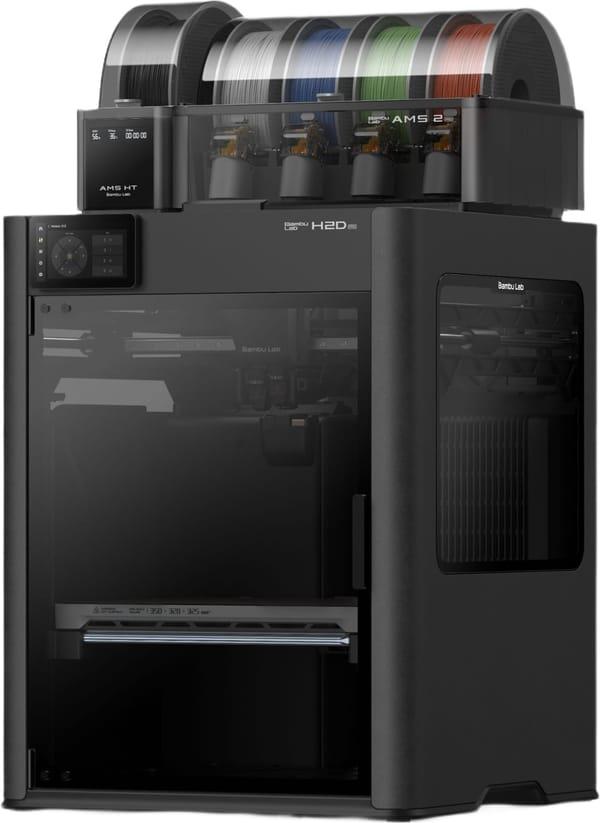
8. Bambu Lab H2D Pro
Bambu Lab H2D Pro is one of the top models from Bambu Lab with dual nozzles and large volume. It allows printing with one or two extruders simultaneously, providing flexibility: either larger volume with one nozzle or two materials/colors at the same time. Print height up to 325 mm, volume up to 350 × 320 × 325 mm in some modes. Tungsten carbide nozzle withstands abrasive materials like CF/GF, temperature up to 350 °C. Active chamber heating up to 65 °C and improved extruder cooling. Sturdy body, weight about 31 kg - this is no longer a desktop toy, but a serious machine. Connectivity via USB, Wi-Fi, Ethernet, with a 5-inch touch screen.
The model is suitable for engineering tasks that require strong materials, dual nozzles, or large part sizes. Automatic setup and monitoring functions are at a high level here.
Key points:
Dual nozzle for simultaneous printing with two materials.
Active chamber heating up to 65 °C.
High nozzle temperature of 350 °C and carbide nozzle.
Large build volume with flexible modes.
Robust construction with significant weight.
Ethernet and Wi-Fi support with WPA2-Enterprise.
Specifications:
Printing technology: FDM.
Build volume: up to 350 × 320 × 325 mm (depending on mode).
Print height: 325 mm.
Maximum speed: up to 1000 mm/s (in some modes).
Maximum nozzle temperature: 350 °C.
Interface: USB, Wi-Fi, RJ45 (Ethernet).
Weight: about 31 kg.
Screen: 5 inches, 720 × 1280.
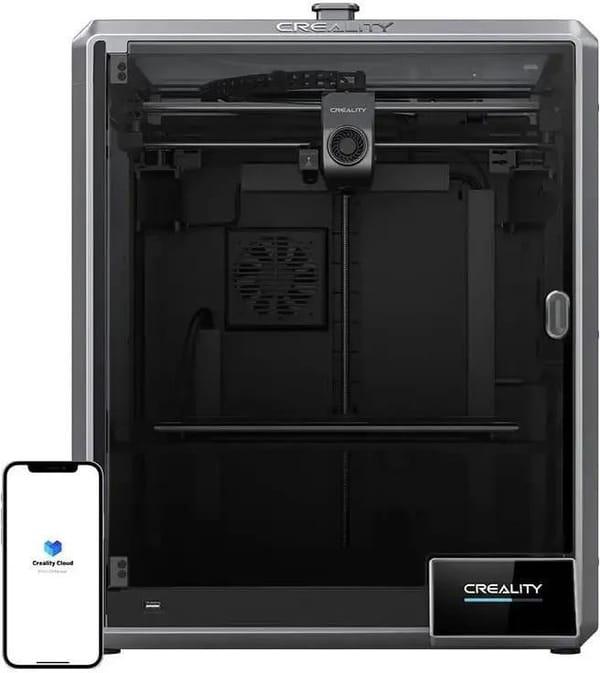
9. Creality K1 Max
Creality K1 Max is a large enclosed printer from Creality with a build volume of 300 × 300 × 300 mm. It uses CoreXY mechanics, providing high speed up to 600 mm/s and acceleration up to 20,000 mm/s². It features a built-in camera and LiDAR for automatic calibration and error detection. Direct drive extruder with dual gears, flexible build plate, hands-free automatic leveling. Supports many materials, including PLA, PETG, ABS, TPU, PA-CF, etc. Weight 18 kg, making it stable, dimensions 435 × 462 × 526 mm.
The model is well suited for those who need large volume and speed without complicated setup. Ready to use out of the box, with a convenient 4.3-inch touch screen.
Key points:
Large volume of 300 cubic cm.
Speed up to 600 mm/s with LiDAR and AI camera.
Enclosed body for stability.
Automatic leveling and error detection.
Direct drive extruder for flexible materials.
Support for many plastics.
Specifications:
Printing technology: FDM.
Build volume: 300 × 300 × 300 mm.
Maximum speed: up to 600 mm/s.
Maximum nozzle temperature: 300 °C.
Maximum bed temperature: 100 °C.
Weight: 18 kg.
Interface: Wi-Fi, USB, Ethernet.
Screen: 4.3" color touch.
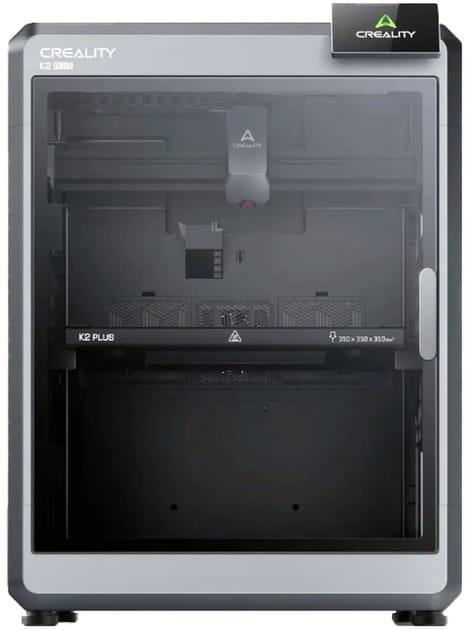
10. Creality K2 Plus
Creality K2 Plus is one of the largest models from Creality with a build volume of 350 × 350 × 350 mm. Enclosed body with optional active chamber heating, speed up to 600 mm/s and acceleration up to 30,000 mm/s². Supports multi-color printing via CFS (Creality Filament System), similar to AMS. Direct drive extruder, flexible build plate, automatic calibration features. Weight about 35 kg - this is already a solid machine for serious tasks. Compatible with many materials, including CF and PA-CF.
The model is for those who print large parts or want multi-color capability without size compromises. Ready to use, with a convenient 4.3-inch screen.
Key points:
One of the largest volumes - 350 cubic cm.
Multi-color printing support via CFS.
Enclosed body with heating.
High speed and acceleration.
Robust construction with significant weight.
Automatic features and monitoring.
Specifications:
Printing technology: FDM.
Build volume: 350 × 350 × 350 mm.
Maximum speed: up to 600 mm/s.
Maximum nozzle temperature: 350 °C.
Maximum bed temperature: 120 °C.
Weight: about 35 kg.
Interface: Wi-Fi, USB.
Screen: 4.3" color touch.
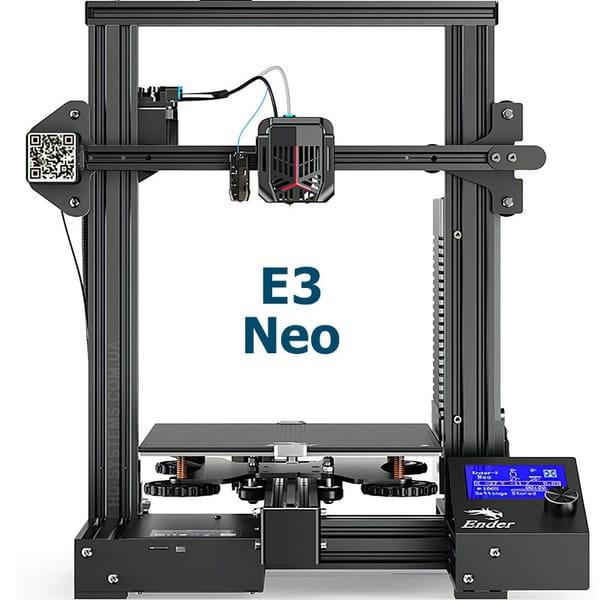
11. Creality Ender-3 Neo
Creality Ender-3 Neo is one of the most popular budget models for beginners, continuing the classic Ender-3 lineup. The printer is open-frame, with a simple design based on aluminum profiles. It comes partially assembled - usually you need to attach the gantry, install the bed, and connect the wires, which takes 30-60 minutes. The build volume is small, but sufficient for most home tasks. It features direct bed leveling (CR Touch or similar), which greatly simplifies first prints compared to the old Ender-3. Direct drive extruder, Bowden tube, standard 0.4 mm nozzle. Average print speed - realistically 60-100 mm/s for good quality. No Wi-Fi, control only via SD card or USB to computer. Glass magnetic build plate holds PLA well.
Suitable as a first printer if the budget is limited and you don't want to invest in something fast and automatic right away. Parts are cheap and widely available, huge community - you can find answers to any problem.
Key points:
Open-frame design, easy access to all components.
Automatic bed leveling (sensor).
Very simple firmware - Marlin with basic menu.
Low cost of parts and huge community.
Suitable only for PLA, PETG, TPU - not for high-temperature materials.
Specifications:
Printing technology: FDM.
Build volume: 220 × 220 × 250 mm.
Maximum print speed: up to 180 mm/s (realistically 60-100 mm/s).
Maximum nozzle temperature: 260 °C.
Maximum bed temperature: 100 °C.
Interface: SD card, USB to PC.
Extruder: direct drive (single gear).
Weight: about 7-8 kg.
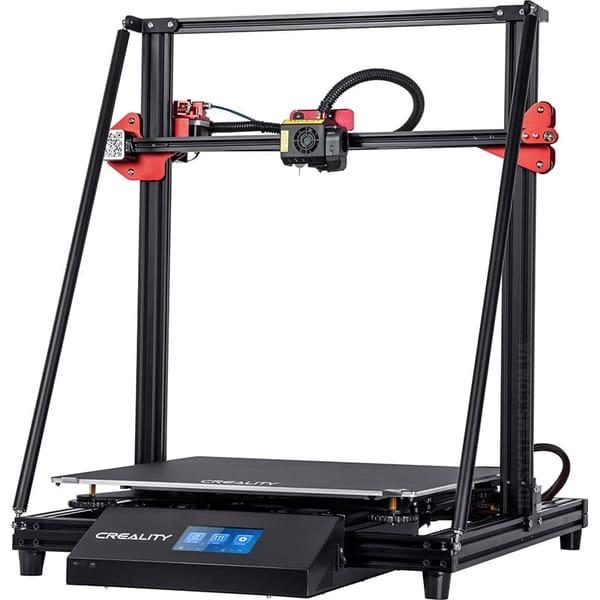
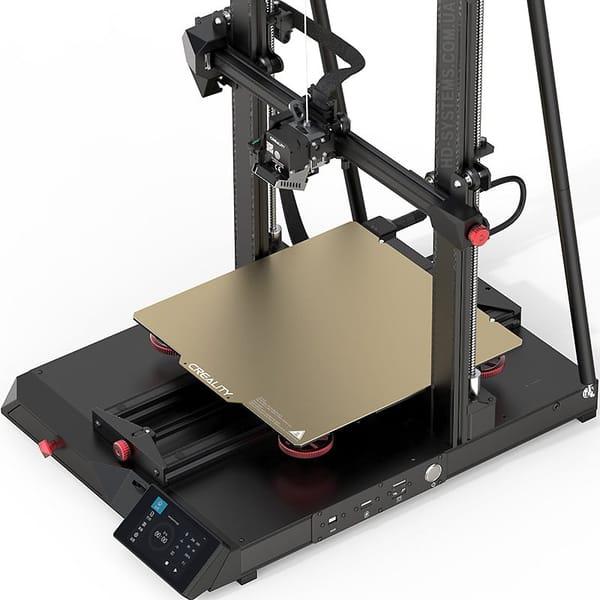
12. Creality CR-10 MAX
Creality CR-10 MAX is one of the largest home printers in the Creality lineup - a real "monster" for big models. Open-frame design with classic two vertical profiles and a large gantry. Huge build volume, making it ideal for printing enclosures, prototypes, decor, or furniture parts. Heated bed, glass or magnetic platform (depending on configuration). Bowden extruder, standard, not the fastest. Print speed is low - 40-80 mm/s for stable quality. No Wi-Fi, control via SD card or USB. Due to its size, the printer is heavy and takes up a lot of space - it needs to be placed on a sturdy table or stand.
The model is for those who really need large volume and are willing to accept slower printing and large dimensions.
Key points:
One of the largest volumes among home printers.
Classic open-frame design with two uprights.
Large heated bed.
Suitable for large single-color parts.
Requires a lot of space and a stable surface.
Specifications:
Printing technology: FDM.
Build volume: 450 × 450 × 470 mm.
Maximum print speed: up to 200 mm/s (realistically 40-80 mm/s).
Maximum nozzle temperature: 260-270 °C.
Maximum bed temperature: 110 °C.
Interface: SD card, USB.
Weight: about 20-22 kg.
Printer dimensions: approximately 700 × 650 × 800 mm.
13. Creality CR-10 Smart Pro
Creality CR-10 Smart Pro is an updated version of the CR-10 with an enclosed body and more modern features. Large build volume, body made of acrylic panels and metal, magnetic doors. Features Wi-Fi and built-in camera for monitoring via the Creality Cloud app. Direct drive Sprite Pro extruder, better suited for flexible materials. Automatic bed leveling, 4.3-inch touch screen. Supports passive chamber heating up to 50-60 °C, which helps with ABS and ASA. Higher print speed than classic CR-10 - realistically 100-150 mm/s.
The model is for those who want large volume but with an enclosed body and slightly more modern control.
Key points:
Enclosed acrylic body.
Wi-Fi + camera + app for monitoring.
Direct drive Sprite Pro extruder.
Automatic leveling.
Suitable for ABS, ASA, PETG.
Specifications:
Printing technology: FDM.
Build volume: 300 × 300 × 400 mm.
Maximum print speed: up to 300 mm/s (realistically 100-150 mm/s).
Maximum nozzle temperature: 300 °C.
Maximum bed temperature: 110 °C.
Interface: SD card, USB, Wi-Fi.
Screen: 4.3" touch.
Weight: about 18-20 kg.
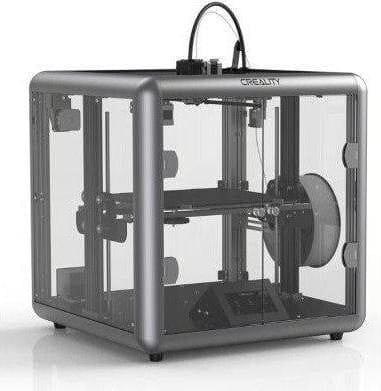
14. Creality Sermoon D1
Creality Sermoon D1 is a fully enclosed printer with CoreXY mechanics - faster and more precise than classic Cartesian models. Body made of transparent acrylic and metal, doors with magnetic latch. Medium build volume, but thanks to CoreXY it prints faster with less vibration. Direct drive extruder, heated bed, automatic leveling. Simple interface - SD card and USB Type-A, no Wi-Fi. No monitoring camera. Supports basic materials, enclosed body helps maintain temperature for PETG, ABS.
The model is for those who want an enclosed printer with good speed but without extra "smart" features.
Key points:
Fully enclosed acrylic body.
CoreXY mechanism for speed and precision.
Direct drive extruder.
Automatic bed leveling.
Simple interface without Wi-Fi.
Specifications:
Printing technology: FDM / FFF.
Build volume: 250 × 250 × 310 mm.
Maximum print speed: up to 180 mm/s (realistically 80-120 mm/s).
Maximum nozzle temperature: 260-280 °C.
Maximum bed temperature: 110 °C.
Interface: SD card, USB Type-A.
Weight: about 12-14 kg.
Dimensions - approximately 480 × 480 × 620 mm.
What tasks is a home 3D printer suitable for?
At home, a printer is useful for repairs: printing mounts, handles, or enclosures. For hobbies - models, figurines, toys. In 2026 it is popular for education: children learn to model. For small businesses - prototypes or small batches. If printing for the Armed Forces - drone parts or adapters. But for professional production, specialized machines are better.
It is not suitable for mass production or materials like metal - that's for industrial use. If you print rarely, it's cheaper to order a printing service.
Repairs: spare parts.
Hobby: models.
Education: learning.
Business: prototypes.
Volunteering: useful parts.
Disadvantages and possible problems
Don't think that a modern home 3D printer is a device you buy, turn on, and immediately get perfect parts without any effort. Even in 2026, when the technology has become much simpler, there are still several aspects that can quickly cool a beginner's enthusiasm.
Initial setup and calibration
Although most popular models (especially Bambu Lab) offer automatic bed calibration, nozzle pressure sensors, and vibration compensation, situations still arise when something goes wrong. For example, if the bed is slightly warped or the nozzle is not perfectly aligned, the first few prints may come out with layer separation or uneven walls. In cheaper models, you sometimes still need to manually tighten screws or level the bed with a piece of paper - and this takes time and nerves. Many people spend more time in the first month on setup and fixing errors than on actual printing.
Odors, toxicity, and ventilation
Materials like ABS, ASA, nylon, or PC emit a rather strong and unpleasant odor when heated. In enclosed spaces without good ventilation, this quickly becomes a problem - headaches start, throat irritation appears. Therefore, for such plastics, an exhaust enclosure, open window, or placing the printer in a separate room/garage is essential. If you plan to print only PLA - almost no odor, but as soon as you switch to stronger materials, ventilation becomes critical. SLA/DLP resin printers are a separate category - toxicity is even higher there, requiring gloves, mask, good ventilation, and waste disposal.
Material and electricity costs
Filament is the main expense after buying the printer itself. A kilogram of quality PLA costs 500-800 UAH, PETG and TPU are more expensive, and engineering plastics (nylon, PC, ABS) can cost 1000-2000 UAH per kilogram. With multi-color printing via AMS, waste (purge tower and wipe tower) increases by 20-50%, so the real cost of one part can be noticeably higher than it seems at first.
Electricity also adds up. An average home printer consumes 150-300 W during printing. Printing a large part for 8-10 hours can use 1.5-3 kWh. At current rates, that's 4-8 UAH per print - not a disaster, but with regular use it adds up to a noticeable amount per month.
Noise and vibration
Even in 2026, not all printers are completely silent. Cooling fans, linear rail movement, stepper motors - all create background noise. In Silent mode, many models stay at 45-50 dB (like quiet conversation), but in normal mode at high speed, noise can reach 60-65 dB. If the printer is in the living room or child's room - it can be annoying, especially at night.
Filament degradation from moisture
If the printer sits idle for several weeks, especially in summer or during heating season, filament absorbs moisture from the air. PLA is less sensitive, but PETG, TPU, and nylon become brittle, print poorly, and develop bubbles and cracks. Therefore, airtight containers with silica gel or a filament dryer are needed - another expense and extra shelf space.
Time spent on printing and errors
Large parts take hours or even a full day to print. If the model is complex with thin walls or large overhangs - several attempts are almost guaranteed before getting a good result. The most common beginner problems: nozzle clogs, bed adhesion failures, "spaghetti" from part detachment, inaccurate first layer positioning. Each failure wastes filament, time, and nerves.
Material and application limitations
Not all plastics are equally safe or strong. PLA is not suitable for parts that contact hot water or food. Most home printers cannot print edible models or high-load parts without additional reinforcement. If you need high precision (±0.05 mm) or metal/ceramic parts - a home FDM printer won't handle it.
Space and organization
The printer needs a stable place with ventilation, away from children and pets. Filament, tools, waste, and test prints quickly accumulate around it. In a small apartment, this can become a noticeable inconvenience.
In summary, a home 3D printer in 2026 is no longer an "almost trouble-free toy" as sometimes claimed in ads. It is a tool that requires time, money, space, and patience. If you're ready for that - it can become very useful. If not - it's better to start with 3D printing services rather than buying your own machine.
Conclusion
A home 3D printer in 2026 is no longer an exotic toy for tech enthusiasts, but a quite real tool that can be regularly used in many households. Modern models, especially the Bambu Lab A1 and P1S series, have greatly simplified the process: setup takes just minutes, print quality is stable even at high speeds, and multi-color printing has become accessible without serious effort.
Whether it's worth buying right now depends on two simple questions: "Do you plan to print at least 1-2 times a week (or more)?" and "Are you ready to spend time learning modeling, selecting materials, and performing periodic maintenance?"
If the answer is "yes" to both - the printer will almost certainly pay for itself through savings on spare parts, gifts, toys, prototypes, or small repairs.
If printing is needed rarely (once every few months), or you don't want to spend time on experiments and fixing typical issues - it's wiser and cheaper to use 3D printing services.
Frequently Asked Questions
Do modern printers really no longer break every month?
Yes, really. If you take 2024-2026 models from Bambu Lab, Creality K1/K2, or QIDI - serious breakdowns occur much less frequently than with older Ender 3 or Anycubic Vyper. The most common issues now are nozzle clogs (fixed in 5-10 minutes) and model detachment from the bed (almost always due to poor adhesion or a warped bed). With proper care, a printer can work for years without major repairs.
Can you print food or items that contact the body?
No, standard PLA, PETG, or ABS cannot be used for this - they are not certified as food-safe. Food-safe printing requires special FDA-certified filaments and a separate printer that has never printed anything else. For medical devices (e.g., orthotics, prosthetics) - the same applies: biocompatible materials and certification are needed. At home, this is not realistically safe yet.
How much does an average print really cost?
For a typical 50-100 g item (e.g., phone holder, toy, mount) - material costs 25-70 UAH. Electricity - 2-5 UAH per full print. Total 30-80 UAH for a finished item. With multi-color AMS printing, waste increases, and cost may rise to 100-150 UAH. Still several times cheaper than buying a similar item in a store.
Can you print parts for a bicycle/drone/car?
Yes, and many people do. PETG, ABS, ASA, carbon-fiber nylon can handle loads quite well. But it's important to understand the limits: plastic cannot replace metal parts under serious load or high temperature. Mounts, covers, adapters, handles, lids - print excellently. Load-bearing frame elements or gearbox gears - no, that's a different level.
Is it worth getting a printer with AMS right away, or starting without it?
If you know for sure you want to make colorful models, figurines, toys, or branded items - get it with AMS or AMS lite right away. Time savings are huge. If you're just trying it out to see if you'll enjoy the process - start with a base model without multi-material. AMS can always be added later (and in most cases it's possible).
What to do if the printer sits idle for several months?
Best practice - remove filament from the nozzle and extruder, wrap the spool in a zip-lock with silica gel, and store in a dry place. Clean the nozzle or replace the protective cover. Wipe the bed with alcohol. If the printer is in a humid room - risk of filament absorbing moisture, leading to print defects (popcorn, strings, bubbles). Humidity is the main enemy of an idle printer.
Is it worth buying a used printer in 2026?
It can be a good deal, but only if it's a recent model (2024-2025) and the seller shows a working video + allows home testing. Used Bambu Lab printers are rarely sold and expensive - people don't let them go. But Creality K1, Ender 3 V3, or older Prusa models go for good prices. Main rule - avoid "something for 3-4 thousand", as there are usually many hidden issues.